
Visual bookmark manager
Bookmark Flow
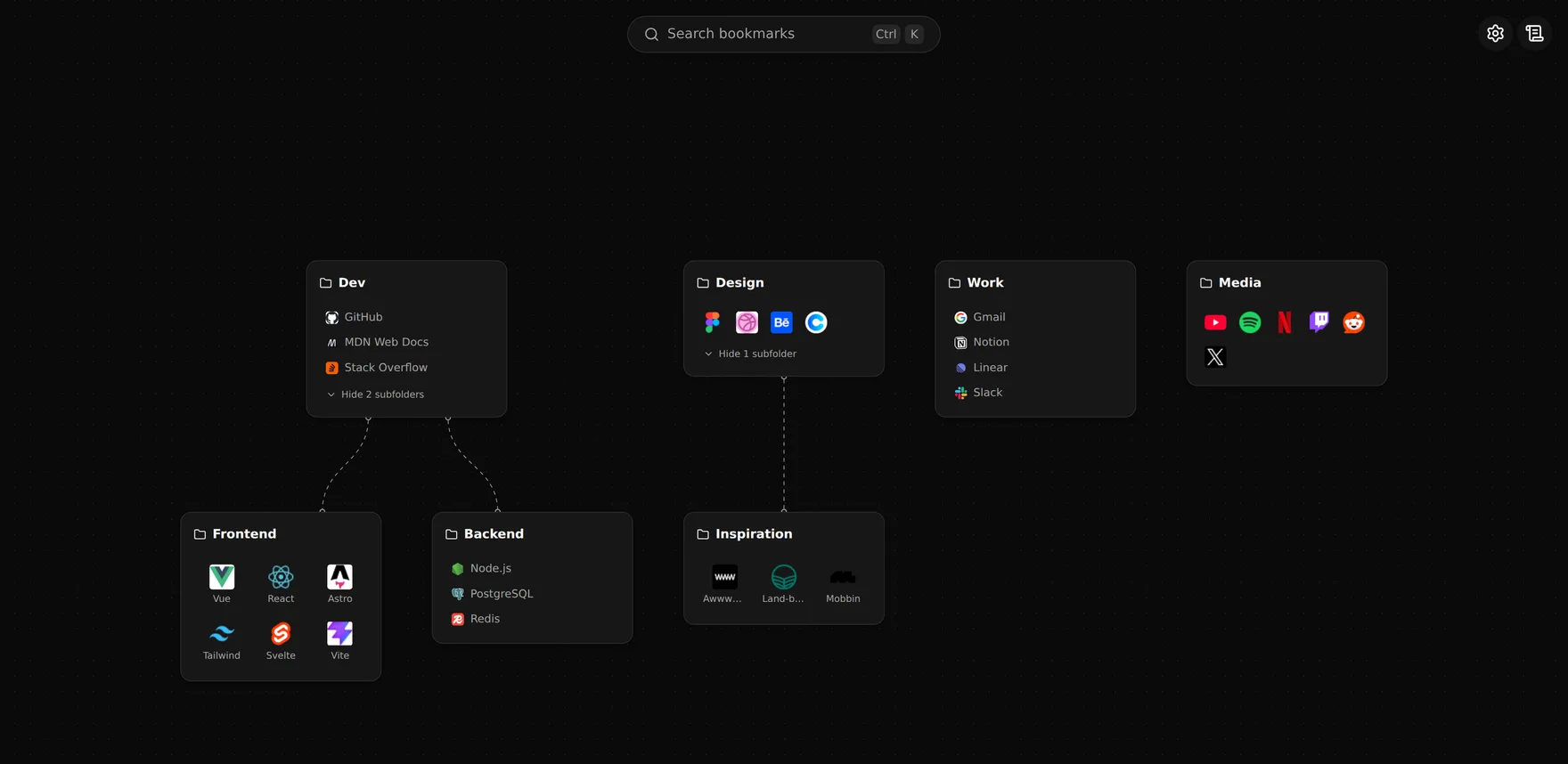
Turn your new tab into a visual board that organizes your bookmarks as draggable folder cards.
What it does
Draggable folder cards
Your bookmark folders become cards on an infinite canvas. Drag, arrange, and connect them however your brain works.
Instant search
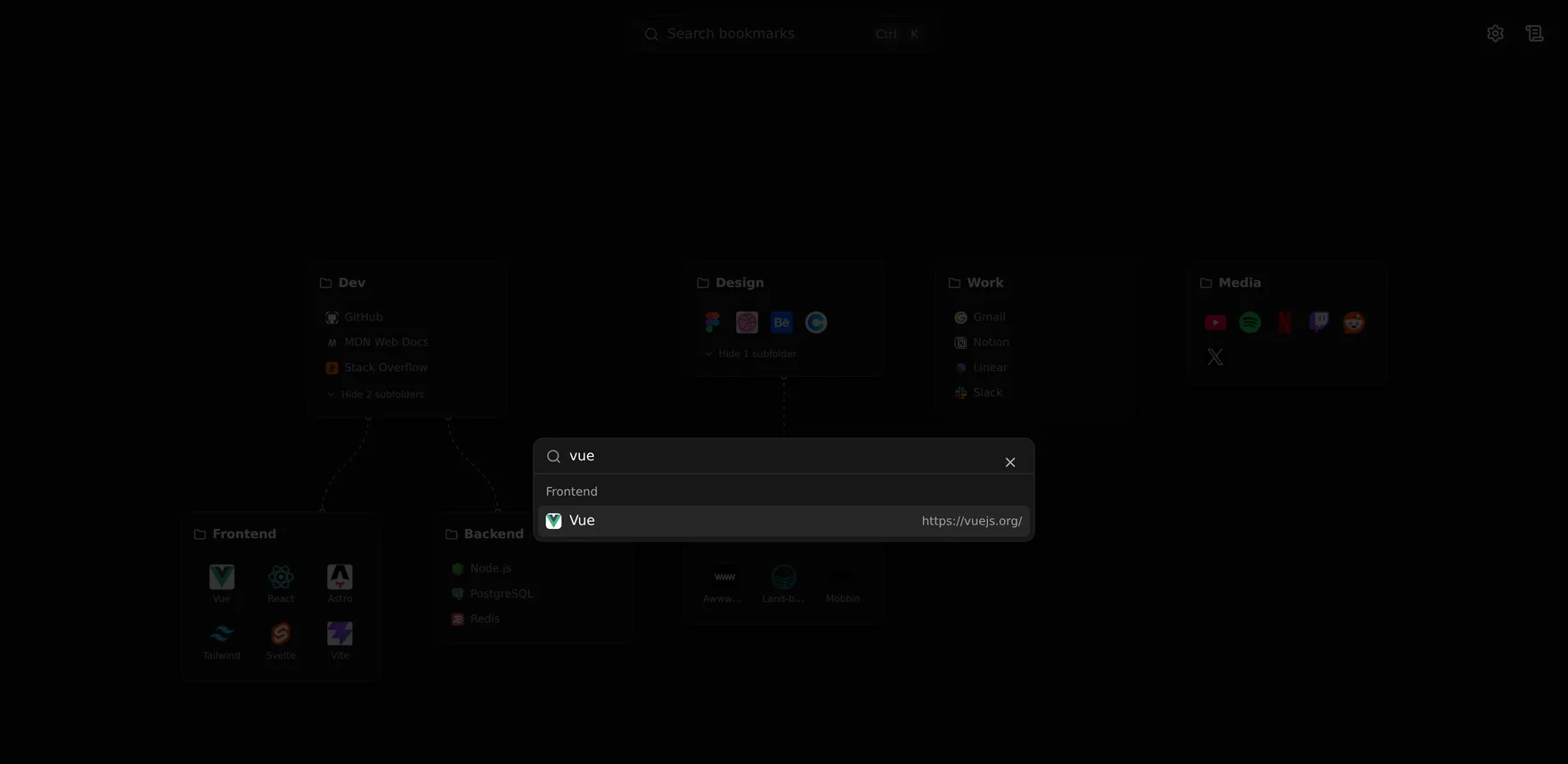
Hit Ctrl/Cmd + K to fuzzy-search every bookmark and folder, then jump straight to the one you need.
Private by design
No account, no server, no analytics. Everything stays on your device. Nothing is ever sent to me.
Side panel
Open the same board in the browser side panel to reach your bookmarks without leaving the page you are on.
Custom icons & notes
Replace any icon, add hover tooltips, and rename items on the board without touching your real bookmarks.
Themes & colors
Light or dark mode and a set of accent colors, plus per-folder layouts: list, grid, or compact icons.
Multilingual
Fully translated interface in English, Portuguese (Brazil), and Spanish.
Works with what you have
Reads your existing browser bookmarks. No import, no migration, no extra setup to get started.
Find anything in two keystrokes
Press Ctrl + K from anywhere on the board to open a command palette. Type a few letters, and every matching bookmark and folder surfaces instantly, grouped by where it lives.
Install Bookmark Flow
Free and open to use. Add it to Chrome now. Edge and Firefox listings are on the way.
Your data never leaves your browser
Bookmark Flow has no account, no backend, and no tracking. Bookmarks and preferences are stored locally on your device. The only outbound request is to fetch site icons, and only the domain is shared for that.
Read the full privacy policy