Jun 2026 - Present
Bookmark Flow
 Bookmark Flow
 A browser extension that turns your new tab into a visual board to organize bookmarks as draggable folder cards.
I have always liked to keep the links I use well organized. The problem is that good organization needs depth: folders inside folders, neatly sorted by topic. But the deeper you go, the more you lose the one thing that made the bookmark worth keeping in the first place, quick access. Every link I cared about ended up two or three clicks away, buried under a structure I built to feel tidy.
That tension stuck with me for years. I kept thinking there had to be a way to keep the depth without paying for it every time I wanted to reach something, and I kept coming back to the same answer: it had to be visual.
So I built Bookmark Flow. It turns your new tab into a board where your bookmark folders become cards on an infinite canvas. You drag them around, connect them, and arrange the whole thing the way your brain actually maps the web, instead of forcing everything into a single vertical list. The depth is still there, but now it is laid out in front of you rather than hidden behind clicks.
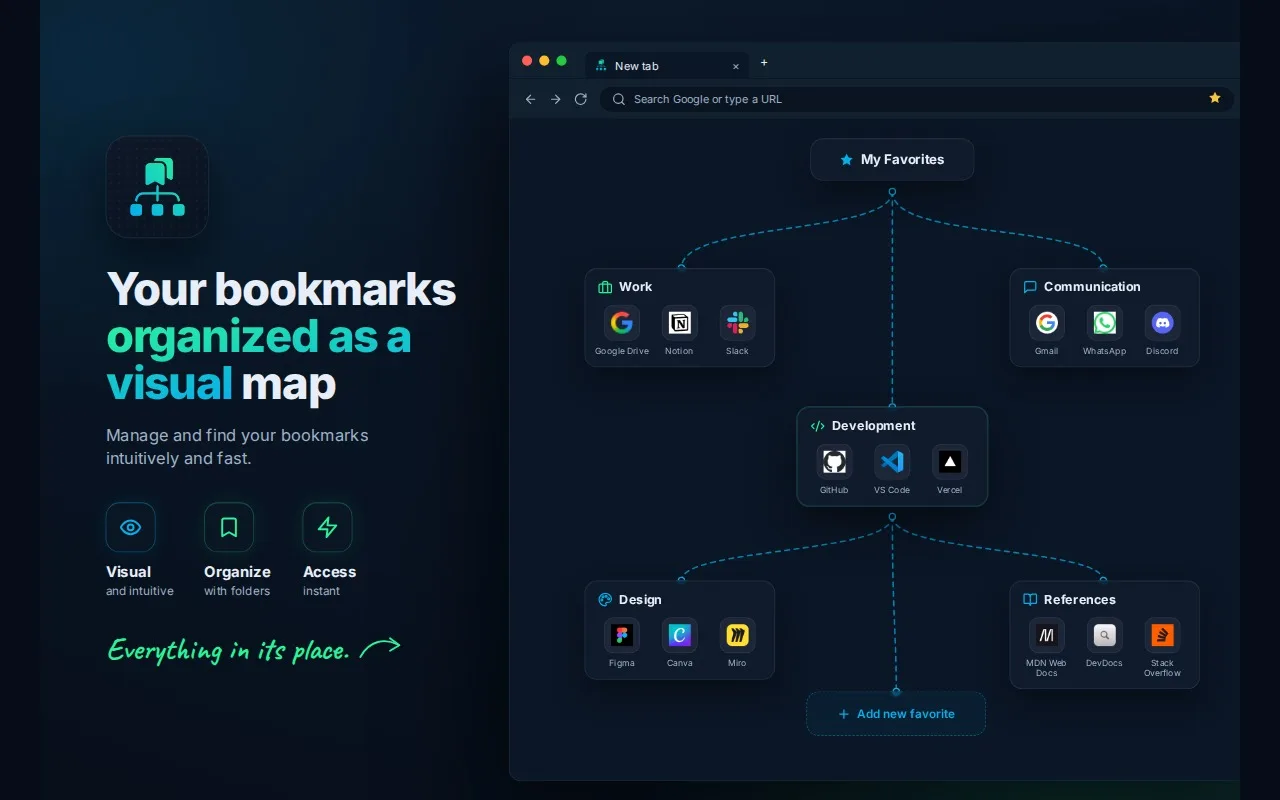
Under the hood, the canvas is built with Vue Flow, the same node-graph library that powers n8n. I had spent enough time in n8n to notice how much its editor does with so little visual noise: boxes you drag, ports you wire together, and a layout that stays readable no matter how big the graph gets. That simplicity was exactly the feeling I wanted for bookmarks, so building on the library n8n itself uses gave me a canvas that already handled panning, zooming, and edge routing, and let me spend my time on the bookmark-specific behavior instead of reinventing the graph. The rest of the extension is Vue 3 and TypeScript, with every folder, card, and preference persisted locally through the browser’s storage APIs.
When you do know exactly what you are after, you do not even need the board. Ctrl/Cmd + K opens a command palette that fuzzy-searches every bookmark and folder, grouped by where it lives, so you can jump straight to it in two keystrokes.
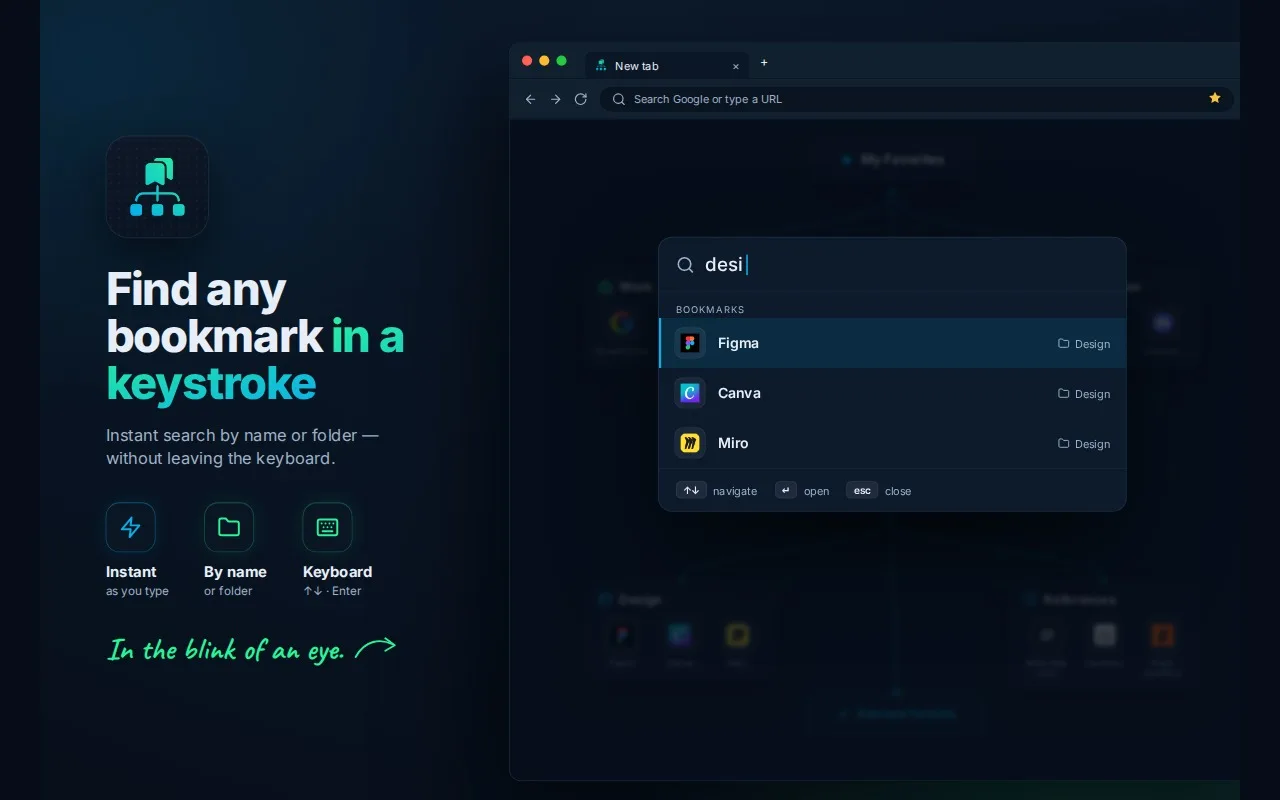
It reads the bookmarks you already have, with no import and no migration. You can replace icons, add notes and tooltips, and rename items on the board without touching the real bookmarks underneath. There is a side panel to reach the same board without leaving the page you are on, light and dark themes with accent colors, per-folder layouts, and the interface is fully translated to English, Portuguese, and Spanish. It is private by design: no account, no backend, no analytics. Everything stays on your device.
I built it for myself and started using it every day. After a while the friends I showed it to asked me to make it public, so I did. Bookmark Flow is now on the Chrome Web Store and Firefox Add-ons, with Edge on the way. What started as a personal fix for my own frustration is now something I get to share.